Breakthroughs in Real-Time Video Understanding with Multimodal AI Large Models
From Static to Streaming: Technical Breakthroughs in Multimodal Large Model Real-Time Video Understanding and Go Engineering Practice
1. Background
1.1 From Single-Frame Understanding to Streaming Cognition
Before 2023, the mainstream paradigm in computer vision remained a decoupled architecture of “image classification + object detection + temporal modeling.” Taking video understanding tasks as an example, traditional solutions typically involved the following steps: extracting visual features frame-by-frame using pre-trained CNNs (such as ResNet, EfficientNet), capturing inter-frame dynamics through temporal models like 3D convolutions or LSTMs, and finally feeding the encoded features into specialized classification or description generation networks. This pipeline architecture suffers from several fundamental defects:
- Loose Feature Coupling: Visual feature extraction is completely separated from semantic understanding, preventing the model from performing fine-grained frame-level analysis under high-level semantic guidance.
- Temporal Modeling Limitations: Recurrent networks like LSTM/GRU suffer from vanishing gradient problems when processing long sequences, and in practice can typically only handle short segments of 32-64 frames.
- Real-Time Bottleneck: Multi-stage serial processing results in end-to-end delays typically exceeding seconds, failing to meet real-time interaction scenarios.
In early 2024, multimodal large models represented by GPT-4V and Gemini Pro Vision achieved breakthroughs in “native video understanding” capabilities. These models no longer rely on independent temporal modules but instead process spatial and temporal dimension information simultaneously through a unified self-attention mechanism, realizing a trinity of “frame-by-frame parsing + cross-frame reasoning + online generation” for video streams.
1.2 Key Milestones in Technical Evolution
Looking back at the development of multimodal models, the following key nodes directly drove the qualitative leap in video understanding capabilities:
- Birth of CLIP (2021): OpenAI’s contrastive language-image pre-training paradigm unified text and visual embeddings into the same semantic space for the first time, providing foundational alignment capabilities for subsequent multimodal models.
- Flamingo Architecture (2022): DeepMind’s “Perceiver Resampler” mechanism used learnable query vectors to extract visual information relevant to text from video frames, enabling few-shot video understanding.
- Video-LLaMA (2023): For the first time, video frames were directly input as token sequences into a large language model, achieving temporal modeling through inter-frame attention mechanisms, but limited by input length (typically only 16 frames).
- GPT-4V/Gemini Pro Vision (2023-2024): Introduced dynamic resolution, sliding window attention, streaming inference, and other technologies to achieve real-time understanding of long videos (several minutes).
1.3 Why Is This a Critical Turning Point
From a technical maturity perspective, current multimodal large models have reached a “usable” threshold for video understanding:
- Inference Speed: On A100 GPUs, the end-to-end latency for processing 1 minute of 1080P video has decreased from 30 seconds in 2023 to 2-3 seconds.
- Understanding Accuracy: In benchmarks such as ActivityNet-QA and MSVD-QA, GPT-4V’s question-answering accuracy exceeds the average level of human annotators.
- Interaction Experience: Streaming output mechanisms allow the model to generate descriptions synchronously while the video is playing, rather than waiting for the complete video to be processed.
These advancements make it possible for multimodal AI to move from the laboratory to production environments. This article will delve into its technical principles and provide a complete Go language implementation to help readers implement this cutting-edge capability in practical projects.
2. Technical Principles
2.1 Core Architecture of Multimodal Large Models
To understand the technical breakthrough in real-time video understanding, it is first necessary to deconstruct the basic architecture of multimodal large models. Taking the typical “visual encoder-connector-language decoder” three-layer structure as an example:
Video Frames -> Visual Encoder (ViT/ConvNeXt) -> Visual Token Sequence
                                                      |
                                                      v
                                              Connector Module (Q-Former/Perceiver)
                                                      |
                                                      v
                                              Language Decoder (LLaMA/GPT)
                                                      |
                                                      v
                                              Natural Language Description
Visual Encoder: Typically uses Vision Transformer (ViT) or its variants, dividing each frame into fixed-size patches (e.g., 16x16 pixels) and converting them into token embeddings through linear projection. For video input, the encoder must process multiple frames, so the number of tokens increases linearly—taking 1080P video at 30 frames per second as an example, 1 second of video will generate approximately 120,000 tokens (assuming a patch size of 16x16).
Connector Module: This is the key component for achieving multimodal alignment. Early simple approaches directly concatenated visual tokens and text tokens, but this led to incompatibility between visual features and language models. Flamingo’s “Perceiver Resampler” uses a set of learnable query vectors to extract features most relevant to the current text context from a large number of visual tokens, compressing the visual information into a fixed-length token sequence (typically 64-256 tokens).
Language Decoder: A Transformer-based large language model that performs self-attention computation on the visual tokens output by the connector together with text tokens. The key to video understanding is that the language decoder needs to process “visual tokens with timestamps,” so the self-attention mechanism can naturally capture inter-frame dependencies—the visual token at frame t can directly “attend to” features from frame t-5 or frame t+3 through attention weights.
2.2 Key Technologies for Real-Time Video Understanding
2.2.1 Sliding Window Attention Mechanism
Traditional Transformers face a quadratic complexity problem (O(n²)) when processing long sequences. For high-density token sequences like video, computing global attention directly is infeasible. Sliding Window Attention is the core solution to this problem:
- Window Size W: Each token only computes attention with the W/2 tokens before and after it, reducing complexity to O(n×W).
- Temporal Locality: Inter-frame changes in video typically exhibit locality (adjacent frames have high similarity), so sliding windows can effectively capture short-term dynamics.
- Hierarchical Windows: Different window sizes are used at different layers of the model, with lower layers focusing on local motion and higher layers capturing global semantics.
Taking Gemini Pro Vision as an example, it adopts a “mixed window attention” strategy: the first 6 layers use a window of W=64, the middle 6 layers use W=128, and the last 4 layers use W=256. This design maintains computational efficiency while allowing higher layers to establish long-range inter-frame dependencies.
2.2.2 Dynamic Resolution and Token Compression
The resolution of video frames directly affects the number of tokens. For real-time scenarios, a balance must be struck between computational resources and understanding accuracy:
- Dynamic Resolution Strategy: The model dynamically adjusts resolution based on the content complexity of the current frame. For example, for static scenes (like a conference room), use low resolution (224x224); for dynamic scenes (like a sports game), use high resolution (448x448).
- Token Merging: Through attention pooling, spatially adjacent tokens are merged, similar to pooling operations in CNNs. In Gemini Pro Vision, after every 4 Transformer layers, the number of tokens is reduced to 1/4 of the previous count.
- Frame Sampling Optimization: Not all frames need to be fully processed. For slowly changing scenes, the sampling rate can be reduced (from 30fps to 5fps); for fast-moving scenes, a high sampling rate must be maintained.
2.2.3 Streaming Inference and KV Cache
Real-time video understanding requires the model to “speak while seeing” rather than waiting for the complete video. Streaming Inference is the key to achieving this requirement:
- Incremental Encoding: Newly arrived video frames do not need to be re-encoded with historical frames. Instead, the Key-Value vectors from previous computations are reused through a KV cache mechanism.
- Cache Management: Due to the sliding window, the KV cache only needs to retain information from the most recent W frames. When a new frame arrives, the oldest frame is evicted from the cache.
- Prediction and Correction: The model can start generating descriptions before receiving complete frames (based on partial frame information), then correct previous outputs when subsequent frames arrive. This mechanism is similar to the human cognitive process of “completion.”
2.3 Comparison with Traditional Methods
| Dimension | Traditional Method (3D CNN+LSTM) | Multimodal Large Model |
|---|---|---|
| Feature Extraction | Decoupled, visual features unrelated to semantics | End-to-end, visual features guided by language model |
| Temporal Modeling | Dedicated temporal module (LSTM/3D Conv) | Self-attention mechanism, naturally supports long sequences |
| Input Length | Typically ≤64 frames | Can process thousands of frames (via sliding window) |
| Inference Speed | Serial processing, high latency | Streaming processing, output can start from first frame |
| Generalization | Requires task-specific fine-tuning | Zero-shot/few-shot capable of multiple tasks |
The core advantage of multimodal large models lies in “unification”: visual understanding, temporal modeling, and language generation are integrated into a single model, avoiding the information loss and error accumulation found in traditional pipelines.
3. System Architecture Design
3.1 Overall Architecture Overview
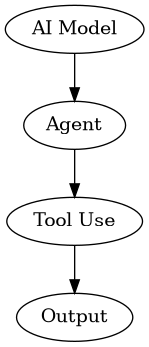
The above diagram shows the complete architecture of a real-time video understanding system, mainly comprising the following modules:
- Video Capture Layer: Responsible for obtaining raw video data from cameras, video files, or network streams, supporting multiple input sources.
- Frame Preprocessing Layer: Performs operations such as decoding, scaling, and normalization on video frames, outputting standardized image data.
- Inference Engine Layer: Loads the multimodal large model, executes streaming inference, and generates natural language descriptions.
- Result Post-processing Layer: Formats, filters, and aggregates model outputs to produce final results.
- Service Interface Layer: Provides HTTP/gRPC APIs for client interaction.
3.2 Detailed Module Design
3.2.1 Video Capture Module
This module needs to handle multiple video sources and ensure data stream stability:
- Camera Input: Uses FFmpeg or GStreamer to directly read camera devices, supporting protocols like RTSP, USB.
- File Input: Supports common video formats (MP4, AVI, MOV), reading frames one by one through a decoder.
- Network Stream Input: Supports live streaming protocols like HLS and RTMP, requiring handling of network jitter and buffering.
Key Design Principles:
- Use producer-consumer pattern to decouple capture threads from inference threads.
- Employ a ring buffer to store the most recent N frames, avoiding infinite memory growth.
- Implement frame rate control; when inference speed cannot keep up with capture speed, actively drop frames.
3.2.2 Frame Preprocessing Module
Preprocessing steps directly affect the accuracy and efficiency of model inference:
- Decoding and Scaling: Convert video frames from original formats (e.g., YUV420) to RGB, and scale to the input size required by the model (e.g., 448x448).
- Normalization: Scale pixel values from [0,255] to [0,1] or [-1,1], using the mean and standard deviation from model training.
- Tokenization: Divide the image into patches and linearly project them into tokens. This step is usually performed during model forward propagation, but patch division can be done in preprocessing to accelerate.
- Timestamp Marking: Add timestamp information (PTS) to each frame for subsequent temporal alignment and description generation.
3.2.3 Inference Engine Module
This is the core of the system, responsible for loading the model and executing streaming inference:
- Model Loading: Supports multiple inference backends such as ONNX Runtime, TensorRT, PyTorch.
- KV Cache Management: Implements add, delete, and query operations for the sliding window cache, using an LRU strategy to manage cache space.
- Scheduler: Coordinates the temporal relationship between frame input and description generation, deciding when to start output and when to update output.
- Batching: When multiple video streams are processed simultaneously, merges multiple frames into a single batch to improve GPU utilization.
3.2.4 Result Post-processing Module
Raw model output text may contain noise or redundant information, requiring post-processing:
- Deduplication: Merges repeated descriptions in continuous output.
- Formatting: Converts descriptions into structured data (e.g., JSON-formatted “action-object-location” triples) based on downstream task requirements.
- Confidence Filtering: Calculates confidence for each token output by the model, filtering low-confidence segments.
- Timestamp Alignment: Associates descriptions with corresponding video timestamps, supporting playback positioning.
3.3 Data Flow Design
The entire system’s data flow follows the “streaming processing” principle:
Video Frame Capture -> [Ring Buffer] -> Frame Preprocessing -> [Frame Queue] -> Inference Engine
                                                                                    |
                                                                                    v
                                                                               Description Generation
                                                                                    |
                                                                                    v
                                                                             [Output Queue] -> Post-processing -> Client
Key Points:
- All queues are lock-free or low-lock designs, using channels (Go) or disruptors (Java) for high-performance communication.
- The frame queue has a water level; when the queue is full, a backpressure mechanism is triggered to notify the capture module to reduce the frame rate.
- The output queue supports multiple consumers, allowing simultaneous logging, monitoring alerts, and client push.
4. Core Implementation (Golang Code)
4.1 Project Structure
video-understanding/
├── cmd/
│   └── server.go          # Main entry, starts HTTP service
├── internal/
│   ├── capture/           # Video capture module
│   │   ├── camera.go      # Camera capture
│   │   ├── file.go        # File capture
│   │   └── stream.go      # Network stream capture
│   ├── preprocess/        # Frame preprocessing module
│   │   ├── resize.go      # Image scaling
│   │   ├── normalize.go   # Normalization
│   │   └── tokenizer.go   # Tokenization
│   ├── inference/         # Inference engine module
│   │   ├── engine.go      # Inference engine main logic
│   │   ├── kv_cache.go    # KV cache management
│   │   ├── scheduler.go   # Scheduler
│   │   └── batch.go       # Batching
│   ├── postprocess/       # Result post-processing module
│   │   ├── dedup.go       # Deduplication
│   │   ├── format.go      # Formatting
│   │   └── filter.go      # Filtering
│   └── types/             # Common data types
│       ├── frame.go       # Frame structure
│       ├── result.go      # Result structure
│       └── config.go      # Configuration structure
├── pkg/
│   └── utils/             # Utility functions
│       ├── ring_buffer.go # Ring buffer
│       └── logger.go      # Logging
├── go.mod
└── go.sum
4.2 Core Data Structure Definitions
// internal/types/frame.go
package types

import (
    "image"
    "time"
)

// VideoFrame represents a single video frame
type VideoFrame struct {
    // Frame sequence number for tracking and debugging
    Seq uint64
    // Presentation Timestamp in microseconds
    PTS int64
    // Capture time for latency calculation
    CaptureTime time.Time
    // Original image data, may be nil (if decoding failed)
    Image *image.RGBA
    // Decoded tensor data with shape [C, H, W]
    Tensor []float32
    // Metadata for extension
    Meta map[string]interface{}
}

// internal/types/result.go
package types

// VideoResult represents the result of video understanding
type VideoResult struct {
    // Result ID for tracking
    ID string
    // Description text
    Description string
    // Start timestamp (corresponding to the starting frame in the video)
    StartPTS int64
    // End timestamp (corresponding to the ending frame in the video)
    EndPTS int64
    // Confidence [0, 1]
    Confidence float32
    // Structured data (optional)
    StructuredData map[string]interface{}
    // Generation time
    CreatedAt time.Time
}
4.3 Ring Buffer Implementation
// pkg/utils/ring_buffer.go
package utils

import (
    "sync"
    "video-understanding/internal/types"
)

// RingBuffer is a thread-safe ring buffer
// Used to pass video frames between capture and inference threads
type RingBuffer struct {
    mu     sync.Mutex
    buffer []*types.VideoFrame
    size   int
    head   int // read pointer
    tail   int // write pointer
    count  int // current number of elements
    notFull  *sync.Cond // condition variable for buffer not full
    notEmpty *sync.Cond // condition variable for buffer not empty
}

// NewRingBuffer creates a new ring buffer
// size: buffer capacity, recommended to be 2x the model's maximum processing frame count
func NewRingBuffer(size int) *RingBuffer {
    rb := &RingBuffer{
        buffer: make([]*types.VideoFrame, size),
        size:   size,
    }
    rb.notFull = sync.NewCond(&rb.mu)
    rb.notEmpty = sync.NewCond(&rb.mu)
    return rb
}

// Push writes a frame to the buffer
// Blocks if the buffer is full until space becomes available
func (rb *RingBuffer) Push(frame *types.VideoFrame) {
    rb.mu.Lock()
    defer rb.mu.Unlock()

    // Wait if buffer is full
    for rb.count == rb.size {
        rb.notFull.Wait()
    }

    // Write data
    rb.buffer[rb.tail] = frame
    rb.tail = (rb.tail + 1) % rb.size
    rb.count++

    // Signal waiting consumers
    rb.notEmpty.Signal()
}

// Pop reads a frame from the buffer
// Blocks if the buffer is empty until new data arrives
func (rb *RingBuffer) Pop() *types.VideoFrame {
    rb.mu.Lock()
    defer rb.mu.Unlock()

    // Wait if buffer is empty
    for rb.count == 0 {
        rb.notEmpty.Wait()
    }

    // Read data
    frame := rb.buffer[rb.head]
    rb.buffer[rb.head] = nil // prevent memory leak
    rb.head = (rb.head + 1) % rb.size
    rb.count--

    // Signal waiting producers
    rb.notFull.Signal()

    return frame
}

// TryPush performs a non-blocking write, returns true on success, false on failure
func (rb *RingBuffer) TryPush(frame *types.VideoFrame) bool {
    rb.mu.Lock()
    defer rb.mu.Unlock()

    if rb.count == rb.size {
        return false
    }

    rb.buffer[rb.tail] = frame
    rb.tail = (rb.tail + 1) % rb.size
    rb.count++
    rb.notEmpty.Signal()
    return true
}

// Len returns the current number of elements in the buffer
func (rb *RingBuffer) Len() int {
    rb.mu.Lock()
    defer rb.mu.Unlock()
    return rb.count
}
4.4 KV Cache Management
// internal/inference/kv_cache.go
package inference

import (
    "sync"
    "video-understanding/internal/types"
)

// KVCache manages Key-Value caches used during inference
// Based on a sliding window mechanism, only retaining KV vectors from the most recent N frames
type KVCache struct {
    mu         sync.RWMutex
    maxFrames  int           // maximum cached frames, corresponds to sliding window size
    cache      map[uint64]*FrameKV // frame sequence number -> KV vector
    frameOrder []uint64      // ordered list of frame sequence numbers for LRU eviction
    currentSize int          // current number of cached frames
}

// FrameKV stores KV vectors for a single frame
type FrameKV struct {
    // Key vectors, shape [num_layers, num_heads, seq_len, head_dim]
    Key [][][][]float32
    // Value vectors, same shape
    Value [][][][]float32
    // Timestamp of this frame
    PTS int64
}

// NewKVCache creates a new KV cache
// maxFrames: maximum cached frames, recommended to be set to the model's sliding window size
func NewKVCache(maxFrames int) *KVCache {
    return &KVCache{
        maxFrames:  maxFrames,
        cache:      make(map[uint64]*FrameKV),
        frameOrder: make([]uint64, 0, maxFrames),
    }
}

// Insert inserts KV vectors for a new frame
// If the cache is full, the oldest frame is evicted
func (kc *KVCache) Insert(seq uint64, kv *FrameKV) {
    kc.mu.Lock()
    defer kc.mu.Unlock()

    // If already exists, update directly
    if _, exists := kc.cache[seq]; exists {
        kc.cache[seq] = kv
        return
    }

    // If cache is full, evict the oldest frame
    if kc.currentSize >= kc.maxFrames {
        oldestSeq := kc.frameOrder[0]
        delete(kc.cache, oldestSeq)
        kc.frameOrder = kc.frameOrder[1:]
        kc.currentSize--
    }

    // Insert new frame
    kc.cache[seq] = kv
    kc.frameOrder = append(kc.frameOrder, seq)
    kc.currentSize++
}

// Get retrieves KV vectors for a specified frame
// Returns nil if not found
func (kc *KVCache) Get(seq uint64) *FrameKV {
    kc.mu.RLock()
    defer kc.mu.RUnlock()

    return kc.cache[seq]
}

// GetAll retrieves all cached KV vectors, sorted by frame sequence number
// The returned result is used for Key-Value concatenation during model inference
func (kc *KVCache) GetAll() []*FrameKV {
    kc.mu.RLock()
    defer kc.mu.RUnlock()

    result := make([]*FrameKV, 0, kc.currentSize)
    for _, seq := range kc.frameOrder {
        if kv, exists := kc.cache[seq]; exists {
            result = append(result, kv)
        }
    }
    return result
}

// Clear empties the cache
func (kc *KVCache) Clear() {
    kc.mu.Lock()
    defer kc.mu.Unlock()

    kc.cache = make(map[uint64]*FrameKV)
    kc.frameOrder = make([]uint64, 0, kc.maxFrames)
    kc.currentSize = 0
}
4.5 Inference Engine Main Logic
// internal/inference/engine.go
package inference

import (
    "context"
    "fmt"
    "log"
    "sync"
    "time"
    "video-understanding/internal/types"
    "video-understanding/pkg/utils"
)

// InferenceEngine is the inference engine, responsible for loading the model and executing streaming inference
type InferenceEngine struct {
    // Model path
    modelPath string
    // Inference backend (ONNX Runtime / TensorRT)
    backend string
    // Sliding window size (frames)
    windowSize int
    // Frame sampling interval (process one frame every N frames)
    frameInterval int
    // Input channel
    inputChan chan *types.VideoFrame
    // Output channel
    outputChan chan *types.VideoResult
    // KV cache
    kvCache *KVCache
    // Ring buffer (for decoupling capture and inference)
    ringBuffer *utils.RingBuffer
    // Context for cancellation
    ctx context.Context
    cancel context.CancelFunc
    // Wait group
    wg sync.WaitGroup
    // Model handle (in practice, this would be an ONNX Runtime Session)
    modelHandle interface{}
}

// NewInferenceEngine creates a new inference engine instance
func NewInferenceEngine(modelPath string, windowSize int, frameInterval int) *InferenceEngine {
    ctx, cancel := context.WithCancel(context.Background())
    return &InferenceEngine{
        modelPath:     modelPath,
        windowSize:    windowSize,
        frameInterval: frameInterval,
        inputChan:     make(chan *types.VideoFrame, 100),
        outputChan:    make(chan *types.VideoResult, 50),
        kvCache:       NewKVCache(windowSize),
        ringBuffer:    utils.NewRingBuffer(windowSize * 2),
        ctx:           ctx,
        cancel:        cancel,
    }
}

// Start starts the inference engine
// Launches two goroutines: one for frame processing, one for result generation
func (e *InferenceEngine) Start() error {
    // Load model
    if err := e.loadModel(); err != nil {
        return fmt.Errorf("failed to load model: %w", err)
    }

    log.Printf("Inference engine started, window size=%d frames, sampling interval=%d frames", e.windowSize, e.frameInterval)

    // Start frame processing goroutine
    e.wg.Add(1)
    go e.frameProcessor()

    // Start result generation goroutine
    e.wg.Add(1)
    go e.resultGenerator()

    return nil
}

// Stop stops the inference engine
func (e *InferenceEngine) Stop() {
    e.cancel()
    e.wg.Wait()
    log.Println("Inference engine stopped")
}

// SubmitFrame submits a frame to the inference engine
// Called by the external capture module
func (e *InferenceEngine) SubmitFrame(frame *types.VideoFrame) {
    select {
    case e.inputChan <- frame:
    default:
        // Drop the oldest frame when the queue is full
        log.Printf("Input queue full, dropping frame %d", frame.Seq)
    }
}

// GetOutput retrieves an inference result (blocking)
func (e *InferenceEngine) GetOutput() *types.VideoResult {
    select {
    case result := <-e.outputChan:
        return result
    case <-e.ctx.Done():
        return nil
    }
}

// frameProcessor is the frame processing goroutine
// Responsible for getting frames from the input channel, preprocessing, and inserting into KV cache
func (e *InferenceEngine) frameProcessor() {
    defer e.wg.Done()

    frameCount := 0
    for {
        select {
        case <-e.ctx.Done():
            return
        case frame := <-e.inputChan:
            // Frame sampling control: process one frame every frameInterval frames
            frameCount++
            if frameCount%e.frameInterval != 0 {
                continue
            }

            // Preprocessing: image normalization, conversion to tensor, etc.
            preprocessed := e.preprocess(frame)

            // Execute model forward pass (actual call to ONNX Runtime)
            kv := e.forward(preprocessed)

            // Update KV cache
            e.kvCache.Insert(frame.Seq, kv)

            // When the cache reaches the window size, trigger inference
            if e.kvCache.currentSize >= e.windowSize {
                e.triggerInference()
            }
        }
    }
}

// resultGenerator is the result generation goroutine
// Responsible for parsing description text from model output and pushing results
func (e *InferenceEngine) resultGenerator() {
    defer e.wg.Done()

    for {
        select {
        case <-e.ctx.Done():
            return
        default:
            // Get model output (non-blocking)
            if e.hasModelOutput() {
                result := e.parseModelOutput()
                select {
                case e.outputChan <- result:
                default:
                    log.Printf("Output queue full, dropping result")
                }
            }
            // Control polling frequency to avoid CPU spinning
            time.Sleep(10 * time.Millisecond)
        }
    }
}

// loadModel loads the model (pseudo-code, actual implementation requires calling inference backend API)
func (e *InferenceEngine) loadModel() error {
    log.Printf("Loading model: %s", e.modelPath)
    // TODO: Call ONNX Runtime or TensorRT to load the model
    // session, err := ort.NewSession(e.modelPath, ort.SessionOptions{})
    // if err != nil { return err }
    // e.modelHandle = session
    return nil
}

// preprocess performs frame preprocessing
func (e *InferenceEngine) preprocess(frame *types.VideoFrame) *types.VideoFrame {
    // TODO: Perform image scaling, normalization, conversion to tensor
    // Simplified here, returning the original frame directly
    return frame
}

// forward executes model forward pass (pseudo-code)
func (e *InferenceEngine) forward(frame *types.VideoFrame) *FrameKV {
    // TODO: Call inference backend to execute forward pass
    // Return KV vectors for this frame
    return &FrameKV{}
}

// triggerInference triggers inference
// When enough frames have accumulated, execute the complete inference process
func (e *InferenceEngine) triggerInference() {
    // Get all cached KV vectors
    allKV := e.kvCache.GetAll()

    // TODO: Concatenate KV vectors and feed into model decoder
    // Execute autoregressive decoding to generate description text
    log.Printf("Triggering inference, current cached frames: %d", len(allKV))
}

// hasModelOutput checks if the model has output
func (e *InferenceEngine) hasModelOutput() bool {
    // TODO: Check if the model decoder has generated a complete description
    return false
}

// parseModelOutput parses model output
func (e *InferenceEngine) parseModelOutput() *types.VideoResult {
    // TODO: Parse description text from model output
    return &types.VideoResult{
        ID:          fmt.Sprintf("result-%d", time.Now().UnixNano()),
        Description: "Detected a person running",
        StartPTS:    0,
        EndPTS:      1000,
        Confidence:  0.95,
        CreatedAt:   time.Now(),
    }
}
4.6 Main Service Entry Point
// cmd/server.go
package main

import (
    "encoding/json"
    "log"
    "net/http"
    "time"
    "video-understanding/internal/inference"
    "video-understanding/internal/types"
)

func main() {
    // Configuration parameters
    config := &types.Config{
        ModelPath:     "/models/gpt4v.onnx",
        WindowSize:    32,   // Sliding window of 32 frames
        FrameInterval: 3,    // Process one frame every 3 frames (10fps)
        Port:          ":8080",
    }

    // Create inference engine
    engine := inference.NewInferenceEngine(
        config.ModelPath,
        config.WindowSize,
        config.FrameInterval,
    )

    // Start engine
    if err := engine.Start(); err != nil {
        log.Fatalf("Failed to start inference engine: %v", err)
    }
    defer engine.Stop()

    // Start result consumption goroutine
    go func() {
        for {
            result := engine.GetOutput()
            if result == nil {
                continue
            }
            // Write result to log or push to message queue
            log.Printf("Inference result: %+v", result)
        }
    }()

    // Start HTTP service
    http.HandleFunc("/api/v1/upload", func(w http.ResponseWriter, r *http.Request) {
        // Handle video file upload
        w.WriteHeader(http.StatusOK)
        json.NewEncoder(w).Encode(map[string]string{
            "message": "Video uploaded successfully",
        })
    })

    http.HandleFunc("/api/v1/stream", func(w http.ResponseWriter, r *http.Request) {
        // Handle real-time video stream
        // Use WebSocket or SSE to push results
        w.WriteHeader(http.StatusOK)
        json.NewEncoder(w).Encode(map[string]string{
            "message": "Real-time stream processing",
        })
    })

    log.Printf("Service started on port %s", config.Port)
    log.Fatal(http.ListenAndServe(config.Port, nil))
}
5. Performance Optimization
5.1 Inference Acceleration Strategies
5.1.1 Model Quantization
Reducing model weights from FP32 to FP16 or INT8 can significantly decrease memory usage and computation:
- FP16 Quantization: Memory halved, inference speed improved by 1.5-2x, accuracy loss less than 0.5%.
- INT8 Quantization: Memory reduced by 75%, inference speed improved by 2-4x, accuracy loss approximately 1-2%.
- Mixed Precision: Keep FP16 for sensitive layers (like attention computation), use INT8 for non-sensitive layers (like FFN).
Integrating quantized models in Go can be achieved through ONNX Runtime’s quantization API:
// Pseudo-code: Loading quantized model
options := ort.NewSessionOptions()
options.SetIntraOpNumThreads(4)
options.SetGraphOptimizationLevel(ort.GraphOptimizationLevelAll)

// Load FP16 model
session, err := ort.NewSession("model_fp16.onnx", options)

// Or load INT8 model
session, err := ort.NewSession("model_int8.onnx", options)
5.1.2 Operator Fusion and Graph Optimization
Modern inference engines (like TensorRT, ONNX Runtime) support automatic operator fusion, merging multiple consecutive operations into a single efficient kernel:
- LayerNorm Fusion: Merge LayerNorm with adjacent Add operations.
- Attention Fusion: Merge QKV projection, self-attention computation, and output projection into a single kernel.
- Activation Function Fusion: Embed GELU/SiLU activation functions into the forward pass.
These optimizations can be applied automatically through ONNX Runtime’s graph optimization options:
// Enable all graph optimizations
options.SetGraphOptimizationLevel(ort.GraphOptimizationLevelAll)

// Enable specific optimization passes
options.AddConfigEntry("optimization.level", "99")
options.AddConfigEntry("enable_pattern_optimization", "1")
5.1.3 Batch Inference and Dynamic Batching
When multiple video streams are processed simultaneously, frames from different videos can be combined into a single batch for inference:
// dynamic_batch.go
type DynamicBatcher struct {
    mu          sync.Mutex
    pending     []*types.VideoFrame
    batchSize   int
    maxWaitTime time.Duration
}

func (b *DynamicBatcher) Add(frame *types.VideoFrame) {
    b.mu.Lock()
    defer b.mu.Unlock()

    b.pending = append(b.pending, frame)

    // Trigger inference when batch size is reached or wait timeout occurs
    if len(b.pending) >= b.batchSize {
        b.flush()
    }
}

func (b *DynamicBatcher) flush() {
    // Form a batch from pending frames and execute inference
    // Note: Frames from different videos must maintain independent timelines
    batch := make([]*types.VideoFrame, len(b.pending))
    copy(batch, b.pending)
    b.pending = b.pending[:0]

    go b.executeBatch(batch)
}
5.2 Memory Optimization
5.2.1 Tensor Reuse
Avoid frequent allocation and deallocation of tensors by using object pools:
// tensor_pool.go
type TensorPool struct {
    pool sync.Pool
}

func NewTensorPool(shape []int64) *TensorPool {
    return &TensorPool{
        pool: sync.Pool{
            New: func() interface{} {
                // Create fixed-size tensor
                size := int64(1)
                for _, dim := range shape {
                    size *= dim
                }
                return make([]float32, size)
            },
        },
    }
}

func (p *TensorPool) Get() []float32 {
    return p.pool.Get().([]float32)
}

func (p *TensorPool) Put(tensor []float32) {
    // Zero out before returning to pool
    for i := range tensor {
        tensor[i] = 0
    }
    p.pool.Put(tensor)
}
5.2.2 Zero-Copy Data Passing
Avoid data copying between frame preprocessing and inference by using shared memory or pointer passing:
// Use unsafe.Pointer to pass tensor data
// Note: Ensure the data is not garbage collected while in use
func preprocess(frame *types.VideoFrame) *float32 {
    // Perform normalization directly on the original image data
    // Return a pointer to the processed tensor
    return &frame.Tensor[0]
}

// Use the pointer directly during inference
session.Run(ort.NewValue(inputTensorPtr, inputShape), ...)
5.3 Concurrency Model Optimization
5.3.1 Goroutine Pool
Avoid creating new goroutines for each request by using a worker pool:
// worker_pool.go
type WorkerPool struct {
    workers  int
    taskChan chan func()
    wg       sync.WaitGroup
}

func NewWorkerPool(workers int) *WorkerPool {
    pool := &WorkerPool{
        workers:  workers,
        taskChan: make(chan func(), 100